


Tattoo My Name On Photo Editor
4.6281.00 Reviews
App Specs
- Version
- 2.4.6.1
- Updated On
- License
- Free
- Downloads
- 10,000,000+
- Developer
- TarrySoft
- Categories
- Art & Design
- Platform
- Android
Screenshots
 Analysis by AppCompare
I tried Tattoo My Name On Photo Editor as a quick way to picture tattoo ideas on a photo, and its appeal is easy to understand: it turns a decision that can feel permanent into a low-pressure experiment. I can test a name, symbol, or design on an image before deciding whether the look suits me. It is a focused art-and-design app rather than a full photo studio, so the best results come from treating it as a mock-up tool, not as a substitute for a tattoo artist’s advice or a detailed image editor.
What it does well for a first mock-up
The basic process is approachable: start with a new photo or choose one from the gallery, then try designs and text against the image. That simple path makes the app useful even if, like me, you do not want to learn a complicated editing workflow just to preview one idea. TarrySoft makes the app, and the current version is 2.4.6. It is free to install, with optional in-app purchases ranging from $0.99 to $99.99 per item, so I would check what is included before buying anything.
The practical value is in comparing possibilities quickly. A small symbol near the wrist can feel very different from the same design enlarged on the upper arm, and a name in a decorative style may read well on screen but become hard to make out when reduced. I would use the editor to narrow down placement, scale, and general mood, then take the image to a professional if I were considering a real tattoo. A photo mock-up can help communicate an idea; it cannot tell you how a design will age on skin or whether a particular placement works for your body.
Current standing and expectations
There is a sizable audience for this straightforward concept: the app has over 10 million installs and a 4.6 average from around 55,000 ratings. It is rated for Everyone and supports Android 5.0 and newer. Those details make it accessible to many Android users, though they do not guarantee that every design or editing step will feel equally smooth on every device. I would judge it by the task at hand: making a playful, personal preview without turning a simple idea into a long editing project.
The app was released on June 27, 2019, and the current version number shows that it has continued to receive versions since then. That is a useful sign of an established product, but a version number alone does not tell me which tools changed or how the interface evolved. For someone opening it now, the more relevant question is whether the current workflow still fits their needs. If you want a quick visual trial, its focused approach can be a plus; if you expect professional-grade photo compositing, a general editor will likely give you more control.
First Impressions and Features
Upon launching the app, you’re greeted with a clean and intuitive interface. It’s straightforward, which I appreciate because who wants to deal with complicated menus when you’re eager to get started? The app is designed to let you either take a new photo or choose one from your gallery to start the tattooing magic.
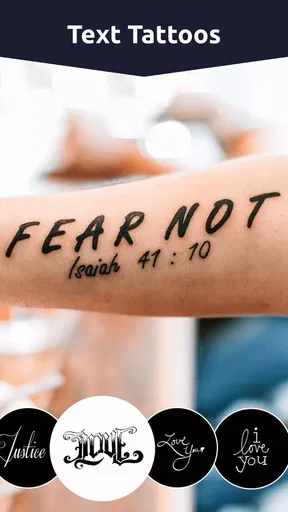
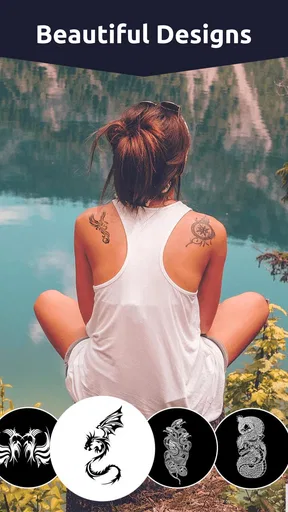
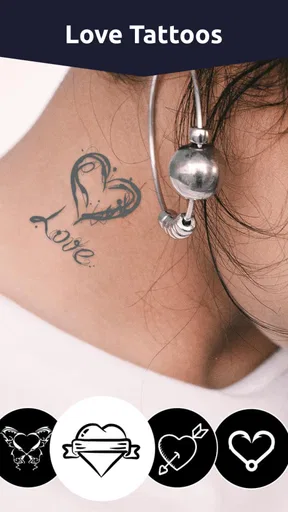
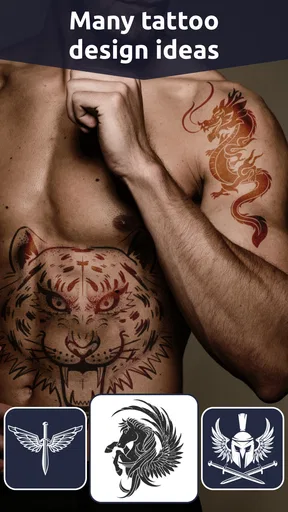
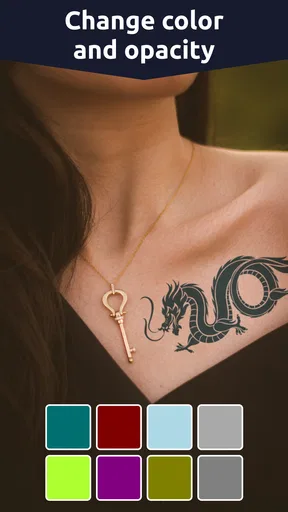
The variety of tattoos available is impressive. From intricate designs to simple text tattoos, there’s something for every style. You can customize the color, size, and rotation of the tattoos, making it easy to position them perfectly on your photo. The app also includes some cool filters and editing tools to adjust brightness and contrast, giving your picture that extra oomph.
Worth Reading Before You Choose

Flipboard Shows What News Apps Must Do Beyond the Feed

Switching to Android Auto Means Rethinking Your Driving Routine

Google Calendar Makes a Crowded Week Easier to Manage

Ludo King Makes the Most of the Minutes Between Plans

Baby Panda World Brings Quick Play to Modern Phones, but Its Game Library Feels Busy

ESPN’s Live Game View Makes Following Close Games Easier
Playing Around with the App
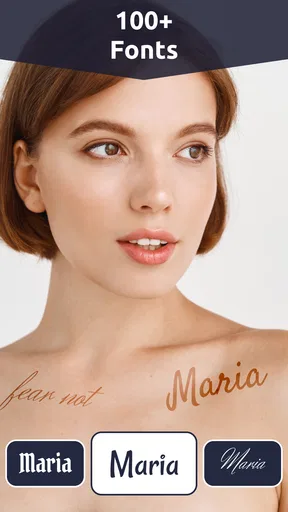
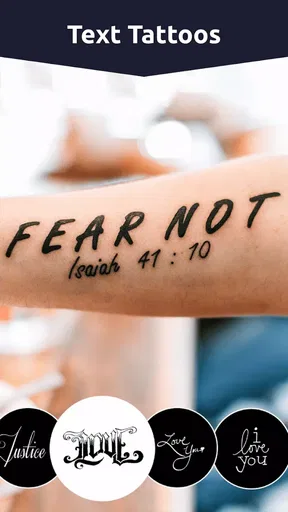
What I found particularly fun was the ability to add multiple tattoos to a single image. You can layer them, adjust their transparency, and really get creative. It’s like a mini tattoo parlor in your pocket! One of the standout features is the text tool, which allows you to type anything you want and transform it into a tattoo. Whether it’s your name, a favorite quote, or something quirky, the app has got you covered.
The app also offers a share feature, which makes it super easy to flaunt your tattooed self on social media. Just a few taps, and you can show off your new look to friends and followers.
Getting Creative
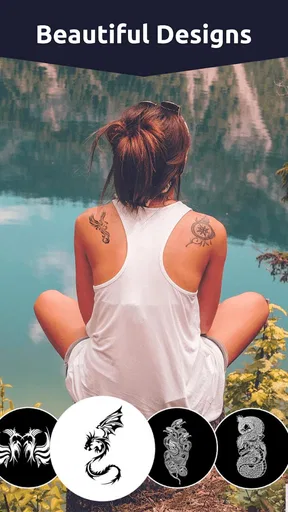
Now, here’s where Tattoo My Name On Photo Editor shines. The level of detail in the tattoo designs is pretty remarkable for a free app. You’ve got tribal tattoos, abstract art, and even some fun, whimsical options. The app allows you to experiment with different tattoo styles without any of the pain or permanence.
For those who might be a bit indecisive about getting a real tattoo, this app serves as a fantastic trial run. You can visualize how a tattoo might look in various spots before making the leap in real life.
Making a preview more useful
I get better comparisons by keeping the photo and lighting consistent while I try alternatives. If I change the pose, crop, or brightness between versions, it becomes harder to tell whether I prefer the tattoo or simply the new picture. I would save or share a few distinct options rather than making many tiny adjustments that are difficult to compare later. A clean, well-lit photo with the intended area visible gives the design a fairer test than a busy image where the body part is partly hidden.
For text, I would check legibility at the size I actually want, not just zoomed in on the screen. Longer phrases can look appealing as a graphic but may become cramped in a small placement. Trying a short version alongside the full wording can reveal whether the idea depends on the words being readable or mostly on their visual shape. This is one place where the editor is handy for exploration, while a tattoo artist remains the right person to discuss lettering and how it can translate to skin.
Where a dedicated editor fits better
Compared with a general photo editor, this app is more direct when the only goal is to try tattoo imagery and text. You do not need to build the effect from scratch with layers and imported graphics, which suits casual experimentation. The trade-off is that a general editor may offer finer control over masking, perspective, and blending. If a design needs to wrap convincingly around a curved arm or follow a complicated pose, I would not treat a quick overlay as a faithful preview; I would use it to explain the concept, then ask a professional for a more realistic assessment.
It also occupies a different space from drawing apps. A drawing app is the better choice if you want to create an original tattoo design from a blank canvas, refine line work, or prepare artwork with precise control. This editor is more useful once you have a rough idea and want to see how an available design or custom text might look in a photo. That distinction matters: it is a visualization shortcut, not a complete design studio.
A realistic way to use it
Imagine I am considering a small name tattoo but feel unsure about its placement. I could take a clear photo of the area, try a few sizes and rotations, and compare a restrained text treatment with a more decorative one. I would keep the versions separate and ask a trusted friend which one reads naturally, rather than presenting the mock-up as a final decision. If the image makes me more certain about the general direction, I can bring it to a tattoo artist and discuss placement, lettering, and practical adjustments before committing.
That same low-stakes workflow works for a themed design before a party, a playful image to share with friends, or a private test of whether a bold motif suits your style. The app is particularly good for people who want a quick visual answer without learning complex editing tools. It is less suitable for anyone who needs a technically accurate skin preview, a custom illustration workflow, or a reliable way to judge the final appearance of a permanent tattoo.
Room for Improvement?
While the app is generally smooth sailing, I did notice some minor lag when using the more detailed tattoos. It’s nothing major, but a little optimization could enhance the user experience. Another addition that could elevate the app would be a community feature where users can share their designs and get inspired by others.
There is also a practical limit to what a photo overlay can show. A flat image cannot fully reproduce how ink sits on moving skin, how a design looks from different angles, or how it will change over time. I would avoid using a single polished mock-up as proof that a tattoo will look exactly that way in real life. For an important choice, compare the idea on more than one photo or pose, then use the mock-up as a conversation aid rather than a final approval.
If you are deciding whether to pay for anything, I would first try the free workflow and make sure the designs and controls suit your purpose. Optional purchases span a broad price range, so the value will depend on what each item offers and whether you actually need it. The app’s main strength is quick experimentation; spending more does not turn a photo preview into professional tattoo planning.
Overall, the app delivers on its promise of offering a fun and creative outlet for tattoo enthusiasts and curious experimenters alike. It’s a great way to test out tattoo ideas and styles without any commitment.
Who I would recommend it to
I would recommend Tattoo My Name On Photo Editor to someone who wants to test a few tattoo looks, play with text, or make a lighthearted edited photo. Its art-and-design focus and simple photo-first workflow are useful when the goal is exploration, not precision. The Everyone age rating also makes the app broadly accessible, though anyone considering a real tattoo should involve an adult where appropriate and seek advice from a qualified professional.
I would skip it if I were looking for a professional design workspace, intricate original drawing tools, or a medically or technically reliable preview of tattoo placement. In those situations, a drawing app, a more capable photo editor, and—most importantly—a consultation with a tattoo artist are better choices. For a quick, no-pressure first impression, though, this app has a clear purpose and is easy to try.
Final Thoughts
If you’re looking for a fun and easy way to experiment with tattoos, Tattoo My Name On Photo Editor is definitely worth a download. It offers a surprisingly rich set of features for a free app, and it’s intuitive enough for anyone to use. Whether you’re a tattoo aficionado or just someone curious about how a tattoo might look, this app provides a playful and creative solution.
So go ahead, get your creative juices flowing and see what kind of tattoo creations you can come up with. Who knows, you might just discover your next real tattoo design!
Pros
- Easy to use interface for beginners.
- Wide variety of tattoo designs available.
- Option to customize text styles.
- High-resolution photo output.
- Quick sharing options on social media.
Cons
- Contains ads that can be intrusive.
- Limited free design options.
- In-app purchases needed for premium features.
- Occasional app crashes reported.
- Some fonts may not support all languages.
FAQs for Tattoo My Name On Photo Editor
What features does Tattoo My Name On Photo Editor offer?
Tattoo My Name On Photo Editor provides a variety of features, including a wide selection of tattoo designs, customizable text options, and the ability to adjust size, color, and placement on your photos. You can also preview and edit multiple designs before finalizing your image, ensuring you get the perfect look.
Is Tattoo My Name On Photo Editor easy to use for beginners?
Yes, the app is designed with a user-friendly interface, making it easy for beginners to navigate. It includes simple controls for editing and customizing tattoos, along with tutorials and tips to guide users through the process. Whether you're a novice or an experienced user, you'll find it accessible.
Does the app require an internet connection to function?
Tattoo My Name On Photo Editor can be used offline for most features, such as editing and applying tattoos to your photos. However, to access additional tattoo designs or updates, an internet connection may be required. Offline functionality ensures you can work on your projects anytime, anywhere.
Are there in-app purchases or ads in Tattoo My Name On Photo Editor?
The app offers a free version with basic features, but it includes ads. To remove ads and access premium designs and tools, users can opt for in-app purchases. This allows you to enhance your experience and unlock additional content as needed, depending on your preferences.
How can I save and share my edited photos using the app?
Once you've completed your design, Tattoo My Name On Photo Editor allows you to save your edited photos directly to your device's gallery. You can also share your creations instantly on social media platforms like Instagram, Facebook, or via messaging apps, making it easy to showcase your designs.


